Apex One
For office and field teams.
Bring jobs, assets, forms, quotes and reports into one configured system. Your teams can work in the office or collect information in the field using a laptop or tablet.

THE OFFER
This is more than access to software. We review the work with you, configure the system, help move your data, train your teams and support the move into everyday use.
The right access depends on how your staff collect information. They can use Apex One on a laptop or tablet, or we can turn on mobile access when they work on phones.
Apex One
Bring jobs, assets, forms, quotes and reports into one configured system. Your teams can work in the office or collect information in the field using a laptop or tablet.
Apex Field
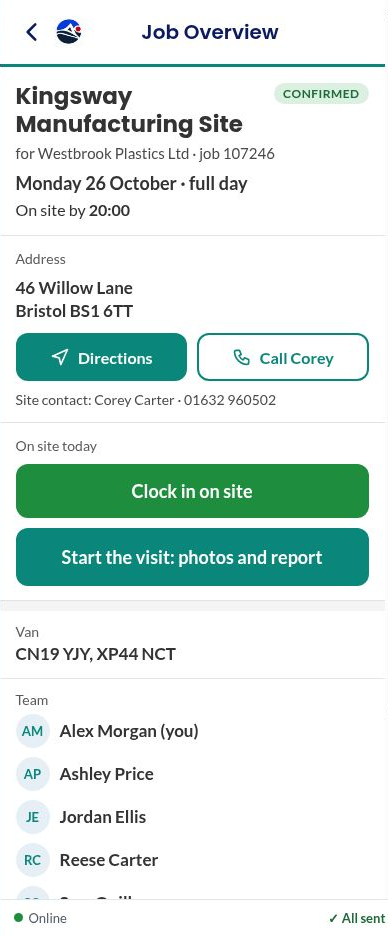
If staff collect information on phones, we turn on the mobile access they need. It is still Apex One, using the same jobs, forms and underlying information.
We work with you to get you up and ready to go. We provide the support and the tools that make this easy.
We sit down with the people who know the work, review the current process flow and identify where information is repeated, delayed or lost.
We review the forms, documents and approvals your teams already use, then agree what the improved working record needs to capture.
We build your initial forms and configure Apex One around the agreed process. We also give you tools to create and adapt forms yourself.
You receive an import tool for your existing data, and we work with you through the initial preparation and import so the system starts with useful records.
We train the people who will manage Apex One and the teams who will use it day to day, using the workflows they will actually follow.
We support the move onto your own dedicated database, stay close through go-live and provide ongoing support and development when you need it.
Understand and configure
We review your process flow, forms and responsibilities with the people who carry out the work. That gives us the detail needed to configure an initial system that feels familiar while removing unnecessary steps.

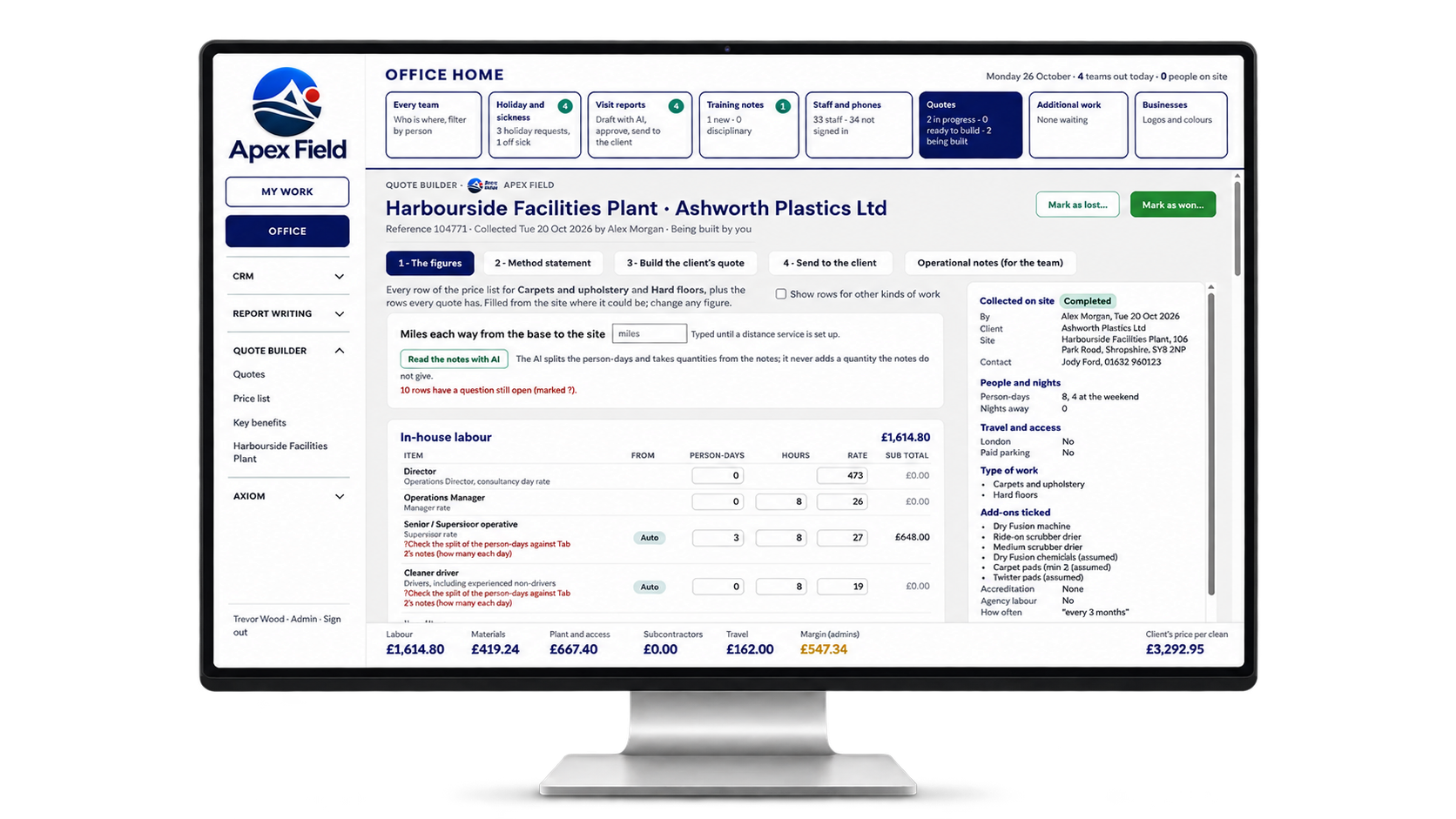
Forms and data
We help prepare and import the initial data you want to carry forward. After that, your team has the tools to add data, import further records and adapt forms without having to start another implementation project.
Training and go-live
Training is based on the configured system and the roles people will perform. We then support the move onto your dedicated database, helping teams settle into the new way of working rather than leaving them at the point of launch.

Office and field
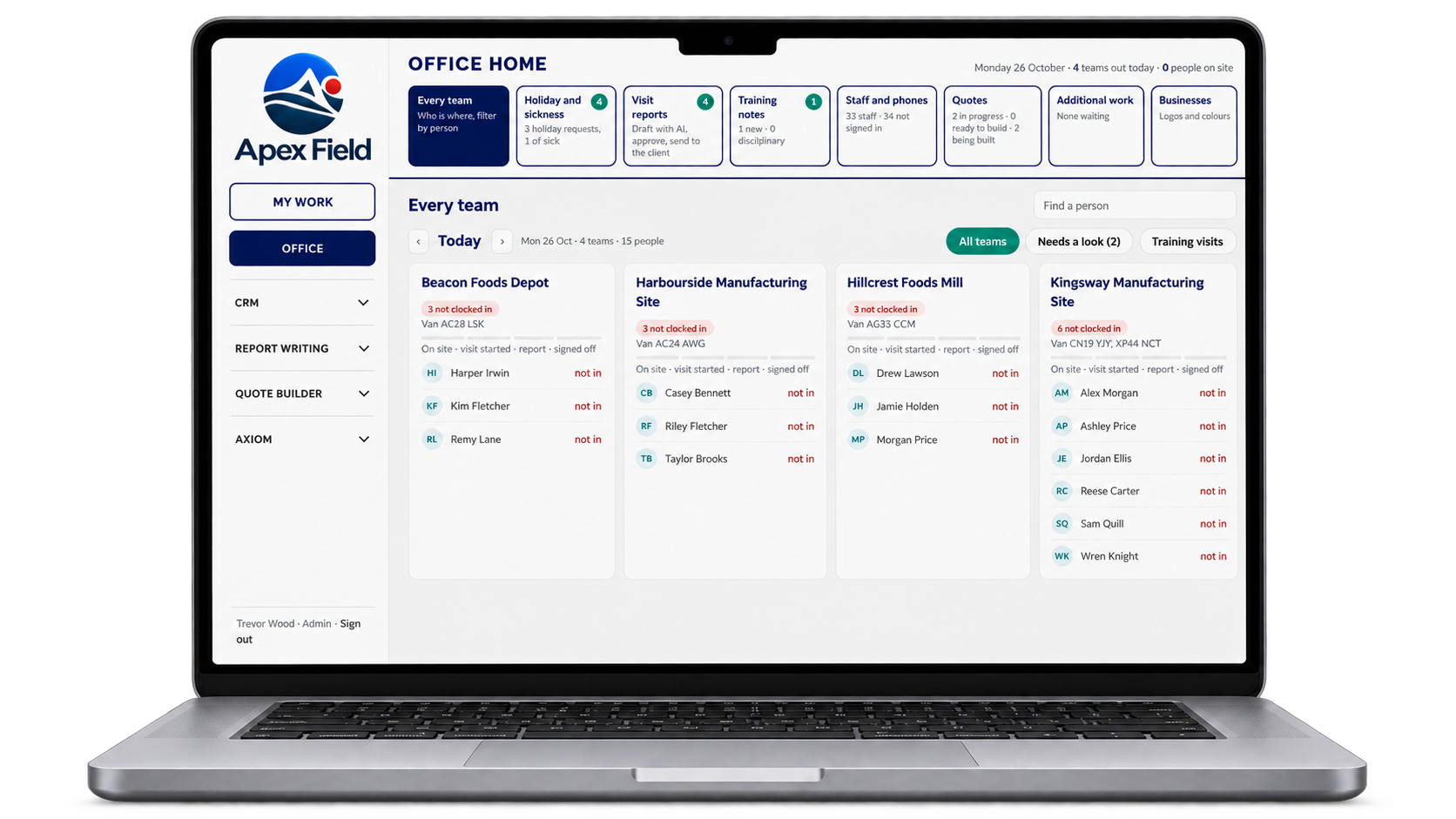
Apex One works for both office and field teams. Staff using laptops or tablets work in Apex One directly. If they collect information on phones, we turn on mobile access so they can record jobs, notes, photos and signatures using the same underlying information.
Book a complete demonstration and tell us which process is taking up your time.